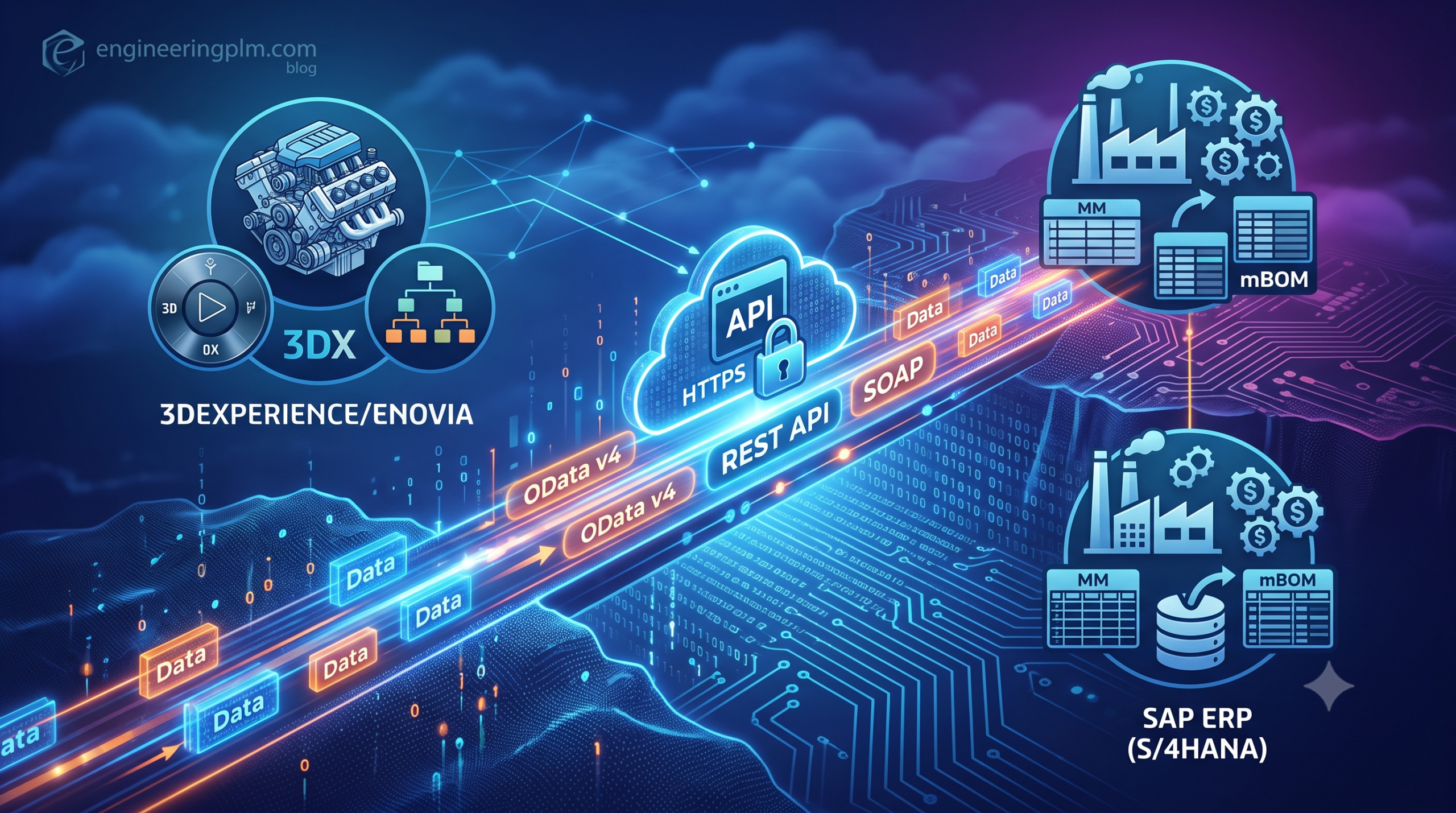
Integrating 3DEXPERIENCE to SAP ERP (ECC or S/4HANA) is the cornerstone of any digital thread transformation. Closing the loop between engineering design (PLM) and manufacturing procurement (ERP) eliminates manual data re-entry, prevents costly Bill of Materials (BOM) mismatch errors, and accelerates time-to-market.
While middleware solutions like ENOVIA ERP Integration (EEI) or SAP Enterprise Integration for 3DEXPERIENCE (IEF/PLM direct connectors) exist, modern cloud and hybrid architectures increasingly rely on direct, lightweight Enterprise Web Services (REST / SOAP / OData).
This technical guide provides an end-to-end blueprint for architects and developers building an enterprise-grade integration between 3DEXPERIENCE and SAP ERP using web services, complete with system architecture patterns, custom Java web services, EKL scripts, and SAP ABAP consumer logic.
1. Architectural Strategy: Synchronous vs. Asynchronous Integration Patterns
When integrating 3DEXPERIENCE with SAP ERP, choosing the correct integration pattern determines system performance, data consistency, and system stability.
                  ┌─────────────────────────────────────────────────────────┐
                  │                3DEXPERIENCE PLATFORM                    │
                  │  ┌───────────────────────┐   ┌───────────────────────┐  │
                  │  │ Engineering BOM (eBOM)│   │ Custom Java REST Web  │  │
                  │  │   (VPMReference)      │──►│      Service          │  │
                  │  └───────────────────────┘   └───────────┬───────────┘  │
                  └──────────────────────────────────────────┼──────────────┘
                                                             │ HTTPS / REST
                                                             ▼
                  ┌─────────────────────────────────────────────────────────┐
                  │           ENTERPRISE INTEGRATION BUS / MIDDLEWARE       │
                  │         (e.g., SAP Integration Suite / MuleSoft)        │
                  └──────────────────────────┬──────────────────────────────┘
                                             │ OData v4 / SOAP
                                             ▼
                  ┌─────────────────────────────────────────────────────────┐
                  │                      SAP ERP / S/4HANA                  │
                  │  ┌───────────────────────┐   ┌───────────────────────┐  │
                  │  │ Material Master (MM)  │   │ Manufacturing BOM     │  │
                  │  │  & Change Master      │   │        (mBOM)         │  │
                  │  └───────────────────────┘   └───────────────────────┘  │
                  └─────────────────────────────────────────────────────────┘
The Dual-Layer Integration Model
- Material Master Creation (Real-time / Synchronous REST):
- Trigger: An engineer requests an ERP Part Number directly from the 3DEXPERIENCE interface.
- Pattern: Synchronous HTTP REST call.
- Flow: 3DEXPERIENCE sends part metadata $\rightarrow$ SAP validates and creates the Material Master (
MARA/MAKT) $\rightarrow$ SAP returns the allocated Material Number in real-time.
- Engineering BOM Release (Asynchronous / Message-Driven Event):
- Trigger: An eBOM transitions to the “Released” maturity state via a Change Order (CO) or Change Action (CA).
- Pattern: Asynchronous event publishing via webhooks, SAP Integration Suite, or enterprise service buses (ESB).
- Flow: 3DEXPERIENCE triggers an event payload containing the multi-level eBOM structure $\rightarrow$ Middleware transforms and validates payload $\rightarrow$ SAP creates or updates the Manufacturing BOM (
STKO/STPO) and Change Master (AENR).
2. Exposing Custom REST Web Services in 3DEXPERIENCE
Although 3DEXPERIENCE exposes native REST APIs through the 3DSPACE Web Services Framework, custom business logic often requires custom JAX-RS (Java API for RESTful Web Services) endpoints embedded directly inside the 3DSpace application runtime.
Step-by-step: Developing a Custom JAX-RS Service in Java
The following custom Java REST endpoint retrieves released Engineering Item (Part) attributes and formats them into a structured JSON payload ready for SAP consumption.
Java
package com.engineeringplm.integration.sap;

import com.matrixone.apps.domain.DomainObject;
import com.matrixone.apps.domain.util.ContextUtil;
import matrix.db.Context;

import javax.ws.rs.GET;
import javax.ws.rs.Path;
import javax.ws.rs.PathParam;
import javax.ws.rs.Produces;
import javax.ws.rs.core.MediaType;
import javax.ws.rs.core.Response;
import org.json.JSONObject;

/**
 * Custom REST Web Service to expose 3DEXPERIENCE Parts to SAP ERP.
 * Path Endpoint: https://<3dspace_host>/3dspace/resources/custom/sap/getPart/{physicalId}
 * Author: EngineeringPLM.com
 */
@Path("/custom/sap")
public class SAPIntegrationWebService {

    @GET
    @Path("/getPart/{physicalId}")
    @Produces(MediaType.APPLICATION_JSON)
    public Response getPartForSAP(@PathParam("physicalId") String physicalId) {
        Context context = null;
        JSONObject responseJson = new JSONObject();

        try {
            // Retrieve system user context (or initialize from security context)
            context = ContextUtil.getAnonymousContext();

            // Instantiating the 3DEXPERIENCE Business Object using physical ID
            DomainObject partObject = new DomainObject(physicalId);
            partObject.open(context);

            // Fetching key PLM attributes mapped to SAP Material Master
            String name = partObject.getInfo(context, "name");
            String revision = partObject.getInfo(context, "revision");
            String title = partObject.getInfo(context, "attribute[PLMEntity.V_Name]");
            String description = partObject.getInfo(context, "attribute[PLMEntity.V_description]");
            String unitOfMeasure = partObject.getInfo(context, "attribute[V_usage]");
            String currentMaturity = partObject.getInfo(context, "current");

            partObject.close(context);

            // Constructing the JSON payload expected by SAP / ESB
            responseJson.put("status", "SUCCESS");
            responseJson.put("physicalId", physicalId);
            responseJson.put("plmPartNumber", name);
            responseJson.put("revision", revision);
            responseJson.put("materialDescription", title != null ? title : description);
            responseJson.put("baseUnitOfMeasure", mapToSAPUOM(unitOfMeasure));
            responseJson.put("maturityState", currentMaturity);

            return Response.status(Response.Status.OK)
                           .entity(responseJson.toString())
                           .build();

        } catch (Exception e) {
            responseJson.put("status", "ERROR");
            responseJson.put("errorMessage", e.getMessage());

            return Response.status(Response.Status.INTERNAL_SERVER_ERROR)
                           .entity(responseJson.toString())
                           .build();
        }
    }

    /**
     * Maps 3DEXPERIENCE UOM attributes to standard SAP ISO UOM codes.
     */
    private String mapToSAPUOM(String plmUOM) {
        if ("EACH".equalsIgnoreCase(plmUOM)) return "EA";
        if ("MILLIMETER".equalsIgnoreCase(plmUOM)) return "MM";
        if ("KILOGRAM".equalsIgnoreCase(plmUOM)) return "KG";
        return "EA"; // Default fallback
    }
}
3. Triggering Outbound Web Services via EKL & Business Logic
When an object transitions to a RELEASED state in 3DEXPERIENCE, you can execute Enterprise Knowledge Language (EKL) triggers via standard Business Logic rules or Change Action hooks to invoke external web services synchronously or asynchronously.
EKL Script: Calling SAP Web Service on Release State Transition
The following EKL script is triggered on the Promote Check or Promote Action business logic of a VPMReference object.
Code snippet
/* ==============================================================================
   EKL Rule: Invoke_SAP_Material_Sync.ekl
   Description: Calls SAP Enterprise Web Service on Part Promotion to RELEASED
   Author: EngineeringPLM.com
   ============================================================================== */

let TargetObject(VPMReference)
let ObjectPhysicalID(String)
let TargetState(String)
let WebServiceURL(String)
let RequestHeader(Map)
let RequestBody(Map)
let HTTPResponse(Map)
let ResponseStatus(Integer)

set TargetObject = ThisObject
set ObjectPhysicalID = TargetObject.physicalid
set TargetState = TargetObject.current

/* Ensure rule executes only when promoting to RELEASED state */
if (TargetState == "RELEASED")
{
    /* Define Web Service Endpoint */
    set WebServiceURL = "https://esb.company.com/api/v1/sap/material/create"

    /* Build HTTP Request Headers */
    set RequestHeader = CreateMap()
    RequestHeader.Insert("Content-Type", "application/json")
    RequestHeader.Insert("Authorization", "Bearer eyJhbGciOiJIUzI1NiIsInR5cCI6...")

    /* Build JSON Payload */
    set RequestBody = CreateMap()
    RequestBody.Insert("plmID", ObjectPhysicalID)
    RequestBody.Insert("partNumber", TargetObject.V_Name)
    RequestBody.Insert("description", TargetObject.V_description)
    RequestBody.Insert("materialGroup", "ENG_PARTS")

    /* Execute HTTP POST Web Service Call via EKL WebService Module */
    set HTTPResponse = ExecuteRESTWebService(WebServiceURL, "POST", RequestHeader, RequestBody)

    set ResponseStatus = HTTPResponse.Get("StatusCode")

    /* Validate Response from Middleware / SAP */
    if (ResponseStatus == 200 or ResponseStatus == 201)
    {
        Trace(3, "SUCCESS: SAP Material created for Object: " + TargetObject.V_Name)
    }
    else
    {
        /* Cancel promotion if Web Service fails */
        Parameters.Message = "SAP Integration Error: Unable to create Material Master in SAP. Status Code: " + ResponseStatus
        Parameters.Severity = 3
    }
}
4. Consuming Web Services in SAP ERP (ABAP / OData S/4HANA Interface)
On the SAP side, incoming web service payloads from 3DEXPERIENCE are consumed via ABAP RESTful Application Programming Model (RAP), OData Services, or custom ABAP Function Modules exposed via BAPIs.
ABAP Consumer Module: Creating Material Master (BAPI_MATERIAL_SAVEDATA)
Below is a ABAP snippet that handles the REST/JSON payload received from 3DEXPERIENCE and invokes standard SAP BAPIs to generate a Material Master.
ABAP
*==============================================================================*
* Function Module: Z_3DX_CREATE_MATERIAL_FROM_PLM
* Description: Consumes 3DEXPERIENCE JSON payload and creates SAP Material.
* Author: EngineeringPLM.com
*==============================================================================*
FUNCTION z_3dx_create_material_from_plm.
*"----------------------------------------------------------------------
*"  IMPORTING
*"     VALUE(IV_PLM_PART_NO) TYPE  STRING
*"     VALUE(IV_DESCRIPTION) TYPE  MAKTX
*"     VALUE(IV_BASE_UOM)     TYPE  MEINS DEFAULT 'EA'
*"     VALUE(IV_MATL_GROUP)   TYPE  MATKL DEFAULT '001'
*"  EXPORTING
*"     VALUE(EV_SAP_MATNR)    TYPE  MATNR
*"     VALUE(EV_STATUS)       TYPE  STRING
*"     VALUE(EV_MESSAGE)      TYPE  BAPI_MSG
*"----------------------------------------------------------------------

  DATA: ls_headdata   TYPE bapimathead,
        ls_clientdata TYPE bapi_mara,
        ls_clientdatax TYPE bapi_marax,
        ls_materialdesc TYPE bapi_makt,
        lt_materialdesc TYPE TABLE OF bapi_makt,
        lt_return       TYPE TABLE OF bapiret2,
        ls_return       TYPE bapiret2.

  " Prepare Header Data
  ls_headdata-material    = iv_plm_part_no.
  ls_headdata-matl_type   = 'ROH'. " Raw Material or ERSA / FERT depending on logic
  ls_headdata-ind_sector  = 'M'.   " Mechanical Engineering
  ls_headdata-basic_view  = 'X'.

  " Prepare Client Data (MARA)
  ls_clientdata-base_uom  = iv_base_uom.
  ls_clientdatax-base_uom = 'X'.

  ls_clientdata-matl_group  = iv_matl_group.
  ls_clientdatax-matl_group = 'X'.

  " Prepare Material Description (MAKT)
  ls_materialdesc-langu   = sy-langu.
  ls_materialdesc-matl_desc = iv_description.
  APPEND ls_materialdesc TO lt_materialdesc.

  " Execute Standard SAP BAPI
  CALL FUNCTION 'BAPI_MATERIAL_SAVEDATA'
    EXPORTING
      headdata             = ls_headdata
      clientdata           = ls_clientdata
      clientdatax          = ls_clientdatax
    IMPORTING
      matnrandtime         = ev_sap_matnr
    TABLES
      materialdescription  = lt_materialdesc
      return               = lt_return.

  " Evaluate BAPI Execution Results
  READ TABLE lt_return WITH KEY type = 'E' INTO ls_return.
  IF sy-subrc = 0.
    CALL FUNCTION 'BAPI_TRANSACTION_ROLLBACK'.
    ev_status  = 'ERROR'.
    ev_message = ls_return-message.
  ELSE.
    CALL FUNCTION 'BAPI_TRANSACTION_COMMIT'
      EXPORTING
        wait = 'X'.
    ev_status  = 'SUCCESS'.
    ev_message = 'Material Master created successfully in SAP.'.
  ENDIF.

ENDFUNCTION.
5. Structuring Complex Multi-Level BOM Transfer Payloads
Transferring a complete Engineering Bill of Materials (eBOM) from 3DEXPERIENCE to an SAP Manufacturing BOM (mBOM) requires sending a recursive parent-child hierarchy in a single, transactional web service payload.
Standardized JSON BOM Payload Structure
JSON
{
  "header": {
    "transactionId": "TXN-3DX-SAP-20260726-001",
    "changeOrderNumber": "CO-0004921",
    "timestamp": "2026-07-26T10:30:00Z",
    "senderSystem": "3DEXPERIENCE_R2024x"
  },
  "parentMaterial": {
    "plmID": "3DSPACE_PHYSICAL_ID_98231",
    "partNumber": "ASSY-88201",
    "revision": "B.1",
    "plant": "1000",
    "bomUsage": "1"
  },
  "components": [
    {
      "itemNumber": "0010",
      "componentPartNumber": "PART-10029",
      "revision": "A.2",
      "quantity": 2.0,
      "unitOfMeasure": "EA",
      "findNumber": "10",
      "isContextual": false
    },
    {
      "itemNumber": "0020",
      "componentPartNumber": "SUBASSY-4002",
      "revision": "C.1",
      "quantity": 1.0,
      "unitOfMeasure": "EA",
      "findNumber": "20",
      "isContextual": true
    }
  ]
}
6. Enterprise Security, Error Handling, and Resiliency
Production integrations between 3DEXPERIENCE and SAP must incorporate strict security controls and fault-tolerant transaction logging.
                                 INTEGRATION FAULT MATRIX
┌───────────────────────┬───────────────────────────────┬────────────────────────────────┐
│ Failure Point         │ Root Cause                    │ Automated Recovery Mechanism   │
├───────────────────────┼───────────────────────────────┼────────────────────────────────┤
│ 3DEXPERIENCE Service  │ Session Timeout / CAS Expire  │ OAuth2 Token Refresh Retry     │
│ SAP API               │ Material Locked by User       │ Queue Retry with Exponential   │
│                       │                               │ Backoff                        │
│ Data Validation       │ Invalid UOM /Missing Attribute│ Staging Table Flag + Alert     │
└───────────────────────┴───────────────────────────────┴────────────────────────────────┘
1. Security Infrastructure
- OAuth 2.0 Authentication: Ensure all REST APIs between 3DEXPERIENCE (via 3DPassport) and SAP (via SAP Cloud Identity Services) are secured using OAuth 2.0 Client Credentials Grant.
- Mutual TLS (mTLS): Enforce mTLS encryption for communication across internal network boundaries or middleware layers.
2. Error Handling & Staging Tables (Staging Queue Pattern)
- Never write directly from 3DEXPERIENCE to SAP production database tables without a staging layer.
- 3DEXPERIENCE Matrix Staging: Log all outbound REST calls in a custom Matrix Object (e.g.,
zIntegrationLog) within 3DEXPERIENCE, capturing raw JSON payloads, response status codes, and error traces. - SAP Inbound Staging: Store incoming payload records in custom SAP staging tables (
Z3DX_BOM_STAGE) prior to triggeringBAPI_MATERIAL_BOM_UPLOAD.
Conclusion: The Business Impact of Live Web Service Integration
Replacing bulky, legacy file-based exchange (CSV/XML drop folders) with real-time Enterprise Web Services between 3DEXPERIENCE and SAP ERP provides significant benefits:
- Elimination of Data Latency: Part numbers and attributes sync in milliseconds rather than overnight batch runs.
- Synchronized Change Management: Engineering Change Actions in 3DEXPERIENCE directly drive SAP Change Masters (
AENR), guaranteeing complete traceability. - Closed-Loop Feedback: Production issues or inventory availability in SAP are visible directly within the 3DEXPERIENCE CAD and Product Structure views.
By leveraging modern REST architecture, clean Java web services, robust EKL triggers, and SAP BAPIs, enterprise engineering organizations can build a resilient digital thread connecting engineering design directly to supply chain execution.