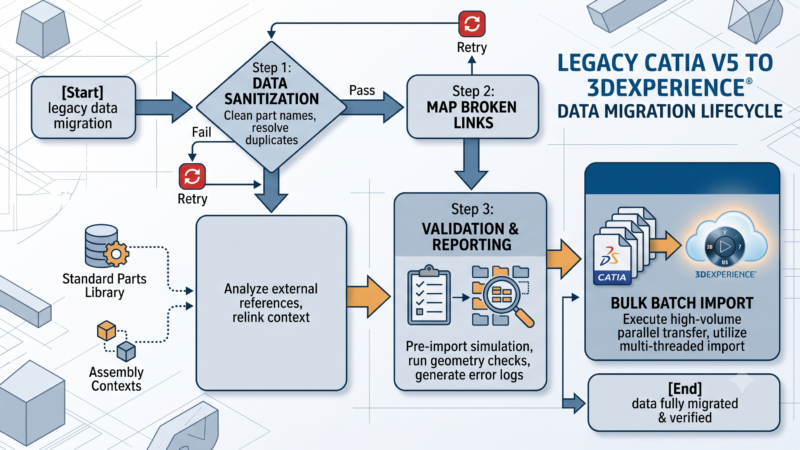
In the high-stakes world of enterprise Product Lifecycle Management (PLM), data migrations are rarely quick. Whether you are transitioning legacy CAD data from an old Enovia V6 instance, moving off a competitor’s platform, or syndicating massive sets of classification attributes into 3DEXPERIENCE, the process can take hours, if not days. During these marathon data loads, developers frequently encounter a silent killer: the Cross-Site Request Forgery (CSRF) token expiration.
When running custom Java batch tools or middleware that hit 3DEXPERIENCE REST endpoints, the process might run perfectly for the first hour, only to suddenly crash mid-migration with a cascade of 401 Unauthorized or 403 Forbidden errors. The cause? Your 3DPassport token has expired, and your script has no mechanism to recover.
In this comprehensive, 2000-word guide, we are going to explore the architecture of 3DEXPERIENCE session management and break down three real-world strategies for managing CSRF token expiration during long-running data migrations.
The Anatomy of a 3DEXPERIENCE Session
Before we dive into the code, we must understand how Dassault Systèmes handles authentication between its services (like 3DPassport and 3DSpace).
When a user or a script logs into 3DEXPERIENCE, 3DPassport validates the credentials and issues a security token. For REST API calls targeting 3DSpace (the data backend), you must obtain an ENO_CSRF_TOKEN. This token is a security measure designed to prevent malicious actors from forging requests on behalf of an authenticated user.
However, CSRF tokens are ephemeral by design. They are not meant to last forever. When performing a data migration that takes around 5 hours, the default token lifespan will inevitably run out.
When the token expires, the server rejects any subsequent POST, PUT, or DELETE requests. This leaves developers asking: Do I need to re-authenticate before every single Web Service call? Can I check if a token is valid before sending the payload? Is there a magic parameter to simply prolong the ticket validity indefinitely?
Let’s explore the solutions.
The Dilemma: Technical Users vs. SSO Environments
The most straightforward way to handle long migrations is to bypass standard user authentication entirely. In a standalone environment, an administrator can go into 3DPassport and generate a persistent client secret. By configuring a dedicated “Technical User” (a non-human account used strictly for integrations), you can set the password or token to never expire.
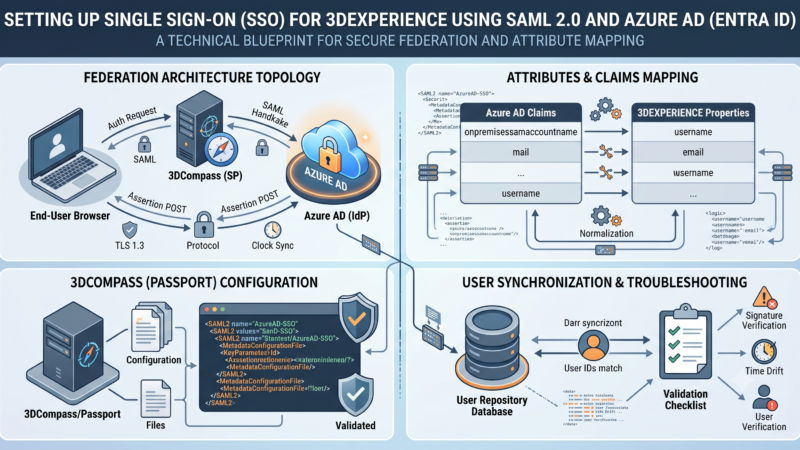
However, in the real world of enterprise IT, this is often a luxury you do not have. Many organizations mandate Single Sign-On (SSO) across their entire infrastructure. In an SSO-enforced environment, you cannot rely on static technical users or indefinite passwords. The migration script must run under a specific user’s context (e.g., your own admin account), meaning it is bound by the strict session timeout rules dictated by the corporate active directory and 3DPassport.
When you cannot cheat the system with an infinite token, you must build resilience into your code.
Strategy 1: Session Cookie Maintenance
The first strategy to prevent premature token expiration is to ensure the server knows you are still actively working.
A CSRF token is tied to a user’s session. In many web applications, sessions expire due to inactivity. If your script generates a token, pulls down a massive XML file, spends 45 minutes parsing it locally, and then tries to push data to 3DSpace, the server may have killed the session during that 45-minute window of silence.
To combat this, you do not necessarily need to generate a brand new CSRF token for every single request. Instead, you must diligently maintain and pass back the session cookies (like JSESSIONID and DYSESSION) with every HTTP request. By maintaining the cookies, you continuously refresh the session’s activity timer, ensuring your CSRF token remains valid throughout the continuous operation.
Java Implementation Example: Cookie Maintenance
When using standard Java HttpURLConnection, cookie management is not automatic. You must extract the cookies from the initial login response and inject them into all subsequent requests.
Java
import java.net.HttpURLConnection;
import java.net.URL;
import java.util.List;
import java.util.Map;

public class MigrationSessionManager {

    private String sessionCookies = "";
    private String csrfToken = "";

    // Step 1: Initial Login and Cookie Extraction
    public void authenticateAndGetTokens() throws Exception {
        URL loginUrl = new URL("https://your-3dx-server.com/3DSpace/resources/v1/application/CSRF");
        HttpURLConnection conn = (HttpURLConnection) loginUrl.openConnection();
        conn.setRequestMethod("GET");

        // Extract Cookies from the response headers
        Map<String, List<String>> headerFields = conn.getHeaderFields();
        List<String> cookiesHeader = headerFields.get("Set-Cookie");

        if (cookiesHeader != null) {
            StringBuilder cookieBuilder = new StringBuilder();
            for (String cookie : cookiesHeader) {
                cookieBuilder.append(cookie.split(";", 2)[0]).append("; ");
            }
            this.sessionCookies = cookieBuilder.toString();
        }

        // Assume we parse the JSON response here to extract the actual token
        this.csrfToken = extractTokenFromJson(conn.getInputStream());
    }

    // Step 2: Pass Cookies in Subsequent Requests
    public void pushDataToEnovia(String jsonPayload) throws Exception {
        URL targetUrl = new URL("https://your-3dx-server.com/3DSpace/resources/v1/migration/upload");
        HttpURLConnection conn = (HttpURLConnection) targetUrl.openConnection();
        conn.setRequestMethod("POST");

        // CRITICAL: Inject the saved cookies and CSRF token
        conn.setRequestProperty("Cookie", this.sessionCookies);
        conn.setRequestProperty("ENO_CSRF_TOKEN", this.csrfToken);
        conn.setRequestProperty("Content-Type", "application/json");
        conn.setDoOutput(true);

        // Write payload and execute...
    }
}
By passing the Cookie header alongside the ENO_CSRF_TOKEN, 3DPassport recognizes the ongoing activity, which drastically extends the life of the token during continuous batch uploads.
Strategy 2: The x3ds_reauth_url Interception Workflow
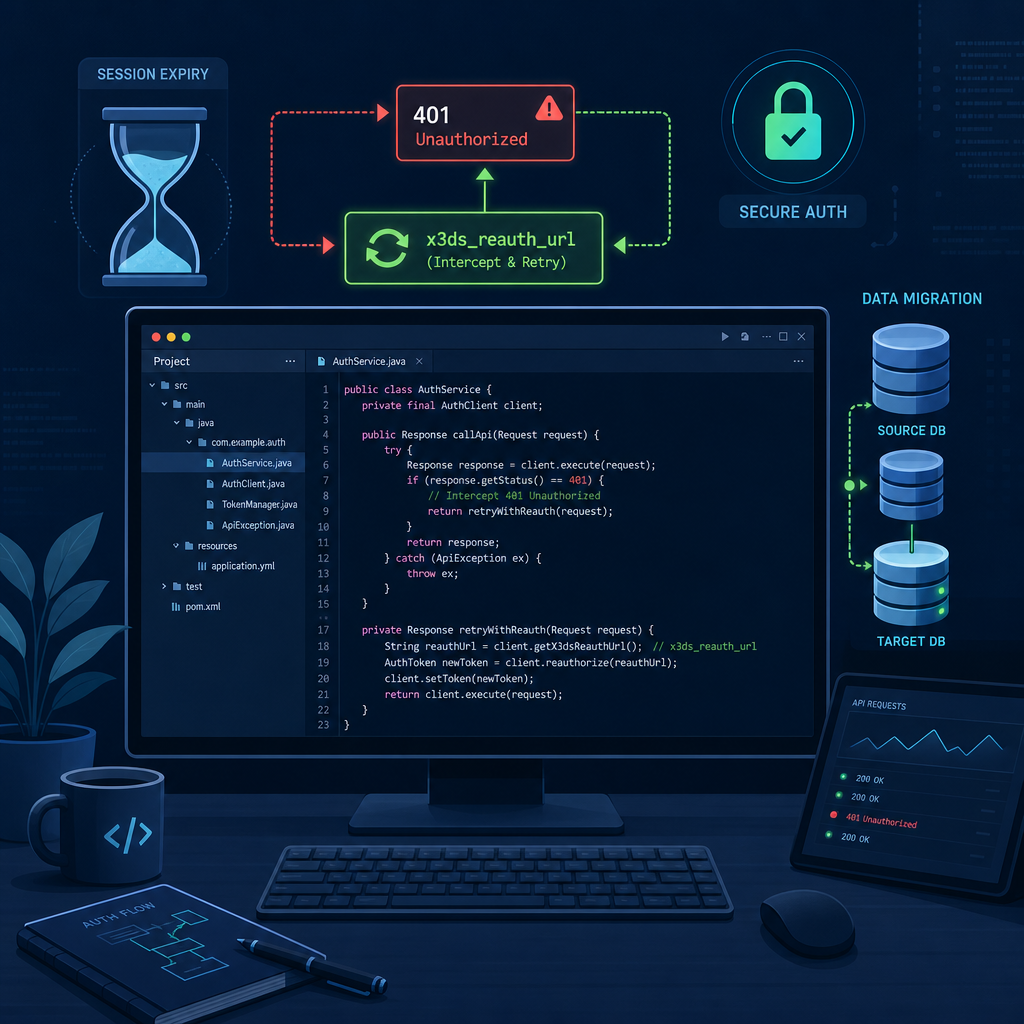
Even with perfect cookie maintenance, hard timeouts exist. Some SSO policies force a re-authentication every 2 hours, regardless of activity. If your migration takes 5 hours, a crash is mathematically guaranteed unless your script can dynamically heal its own session.
This brings us to the most robust method for handling long-running integrations in 3DEXPERIENCE. You can use the HttpURLConnection API to authenticate utilizing the DS-Service-Name and DS-Service-Secret headers.
When the token finally expires, the 3DSpace REST API will not just throw a standard 401 error. Instead, it responds with a specific HTTP header called x3ds_reauth_url. This URL is an OOTB (Out-Of-The-Box) web service designed specifically for this scenario. Your script must catch the 401 response, extract this URL, perform a re-authentication ping, grab a fresh CSRF token, and then automatically retry the failed payload.
Java Implementation Example: Auto-Healing Requests
This requires wrapping your API calls in a retry loop. Here is how a production-grade migration tool handles it:
Java
public class ResilientMigrationClient {

    private String csrfToken;
    private String serviceName = "MyMigrationTool";
    private String serviceSecret = "YourSecretKey123";

    public int executeSecurePost(String targetUrlStr, String payload, boolean isRetry) throws Exception {
        URL url = new URL(targetUrlStr);
        HttpURLConnection conn = (HttpURLConnection) url.openConnection();
        conn.setRequestMethod("POST");

        // Standard Integration Headers
        conn.setRequestProperty("DS-Service-Name", this.serviceName);
        conn.setRequestProperty("DS-Service-Secret", this.serviceSecret);
        conn.setRequestProperty("ENO_CSRF_TOKEN", this.csrfToken);
        conn.setRequestProperty("Content-Type", "application/json");
        conn.setDoOutput(true);

        // Write payload to output stream...
        try (OutputStream os = conn.getOutputStream()) {
            byte[] input = payload.getBytes("utf-8");
            os.write(input, 0, input.length);
        }

        int responseCode = conn.getResponseCode();

        // The Magic Interception: Handling the 401 Unauthorized
        if (responseCode == 401 && !isRetry) {
            System.out.println("Token expired! Attempting auto-recovery...");

            // 1. Extract the re-auth URL provided by the server
            String reauthUrl = conn.getHeaderField("x3ds_reauth_url");

            if (reauthUrl != null && !reauthUrl.isEmpty()) {
                // 2. Ping the re-auth URL to refresh the session context
                pingReauthUrl(reauthUrl);

                // 3. Request a brand new CSRF Token
                this.csrfToken = fetchNewCsrfToken();

                // 4. Recursively retry the exact same payload once
                System.out.println("Recovery successful. Retrying payload...");
                return executeSecurePost(targetUrlStr, payload, true);
            }
        }

        return responseCode;
    }

    private void pingReauthUrl(String reauthUrl) throws Exception {
        URL url = new URL(reauthUrl);
        HttpURLConnection conn = (HttpURLConnection) url.openConnection();
        conn.setRequestMethod("GET");
        conn.setRequestProperty("DS-Service-Name", this.serviceName);
        conn.setRequestProperty("DS-Service-Secret", this.serviceSecret);
        conn.getResponseCode(); // Execute the ping
    }
}
This self-healing architecture is the gold standard for Enovia migrations. It ensures that whether the script runs for 5 hours or 5 days, it can gracefully handle session drops without human intervention and without dropping a single row of data.
Strategy 3: Server-to-Server Authentication via onbehalf
If you are building an integration that operates entirely server-to-server (for example, an iPaaS middleware like Boomi or MuleSoft pushing data from an ERP into 3DEXPERIENCE), there is a third, specialized option.
Dassault Systèmes provides the onbehalf service for integrations. When utilizing this service, developers can pass a specific expires_in parameter during the authentication handshake.
This parameter explicitly tells 3DPassport exactly how long you need the token to remain valid.
Implementation Theory
Instead of relying on standard interactive user login flows, the middleware authenticates using a trusted application certificate or a high-level service account. By appending ?expires_in=28800 (8 hours in seconds) to the ticket request, the server provisions a session specifically tailored to the length of your batch job.
Note: The maximum limit for expires_in is governed by your 3DPassport administrator settings. If the global maximum is set to 2 hours, requesting 8 hours will generally be capped at the server’s maximum limit. Administrators must ensure the Passport policies align with the migration requirements.
The Importance of Comprehensive Logging
When implementing any of these token management strategies, comprehensive logging is not just a best practice—it is a requirement.
If a batch migration of 50,000 parts fails at part 32,014, you need to know why. Was it a data validation error (like a missing description), or did the token recovery mechanism fail?
Ensure your Java tool catches and logs the HTTP Response Body when a 401 or 403 occurs. Often, 3DSpace will return a JSON error object alongside the HTTP status code detailing exactly why the request was rejected (e.g., “CSRF Token Missing”, “Invalid Security Context”, etc.).
Conclusion
Managing CSRF token expiration during long data migrations is a rite of passage for 3DEXPERIENCE developers. When relying on web services, you cannot assume your connection is stable or infinite.
By understanding the mechanics of 3DPassport, diligently maintaining session cookies to keep activity timers alive, and implementing a self-healing x3ds_reauth_url retry loop, you can build enterprise-grade migration tools. These strategies ensure your scripts remain robust and fault-tolerant, allowing you to confidently launch 5-hour data loads knowing that your code is smart enough to re-authenticate itself when the clock runs out.